

Student Computing Clusters
New Media Station Documentation - iMovie Editing Basics
There are no aspects of editing DV in iMovie that are unique to working on UNH's New Media workstations.
Putting the Clips in Sequence
To assemble your raw clips into a sequence, simply drag them from the Clips pane to the clip viewer or timeline below the iMovie monitor.
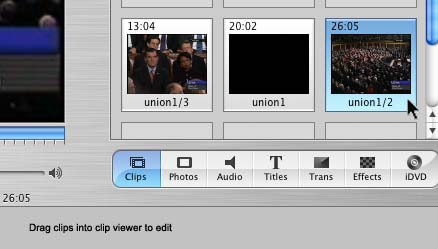
You can also drag clips around in the clip viewer to change their order.

For beginners, the clip viewer mode is simpler to work with. You can click the button with icon of a film frame to switch from timeline view to clip view, if necessary.

One useful hint is to hold down the Option key when dragging clips from the Clips pane to the clip viewer. This will create a copy of the clip to allow you to keep the original in the Clips pane so you can recover from any editing mistakes later.
To remove a clip from the viewer, simply drag it back to the Clips pane.

Editing Clips
The basics of cropping, trimming, and spliting clips with iMovie are throughly covered in Apple's iMovie Tutorial Lesson 2: Removing Unwanted Scenes